Choosing the right audio interface changes how you record, mix, and release music. You want clean preamps, low latency, and the right inputs for your mic and instruments so your ideas translate to polished tracks.
In this guide you'll find compact, professional, and budget options selected to help you capture better performances, reduce editing time, and get more consistent results. Investing in the right interface improves sound quality, monitoring, and workflow, so you spend more time making music and less time troubleshooting.
| Category | Product | Score |
|---|---|---|
| 🎯 Best For Singer-Songwriters | Scarlett Solo 3rd | 86/100 |
| 🔰 Best Starter Upgrade | Scarlett Solo 4th | 88/100 |
| ⭐ Most Versatile Two-Channel | Scarlett 2i2 | 90/100 |
| 🚀 Best Studio Tone | SSL 2 MKII | 94/100 |
| 🔊 Best For Vintage Character | Volt 2 | 89/100 |
| 💼 Best Portable One-Channel | Volt 1 | 87/100 |
| 🎤 Best For Podcasters | MaonoCaster E2 | 82/100 |
| 💰 Best Budget Streaming Mixer | FIFINE SC3 | 78/100 |
| 🎯 Best Value Compact Interface | M-Track Solo | 80/100 |
| 🔀 Best Dual-Input Value | M-Track Duo | 83/100 |
You need an interface that matches how you work, so we prioritized real-world benefits: sound quality (clean preamps and converters), low-latency drivers and stable software support, I/O flexibility (XLR, instrument, headphone and monitor outputs), onboard monitoring and direct monitoring features, portability and build quality, and value including bundled software. We weighed user reliability, driver stability, and the typical use case — solo songwriting, two-person tracking, podcasting or streaming — so each recommendation fits a clear workflow.
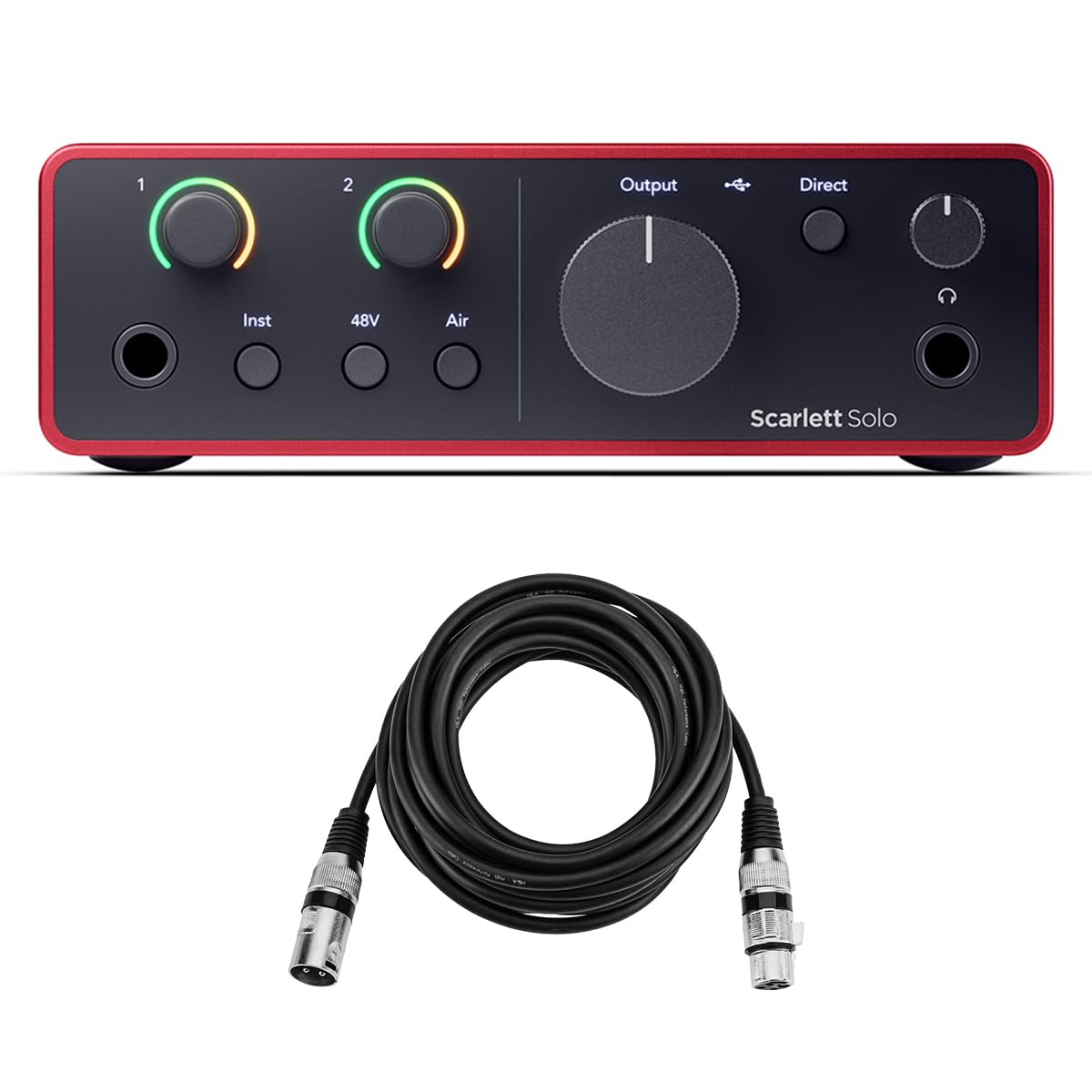
You get a compact, no-fuss audio interface that sounds noticeably better than laptop mics or cheap USB mics. It’s built around a clean mic preamp with a switchable Air setting that adds clarity to vocals, and a high-headroom instrument input so your guitar or bass stays punchy without clipping.
Because it’s bus-powered over USB-C and has balanced outputs, you can use it at home, take it to a rehearsal, or plug it into a laptop on the road. It comes bundled with a suite of software and plugins to get you recording quickly, so if you want a simple upgrade that actually improves your tracks, this is an easy recommendation.
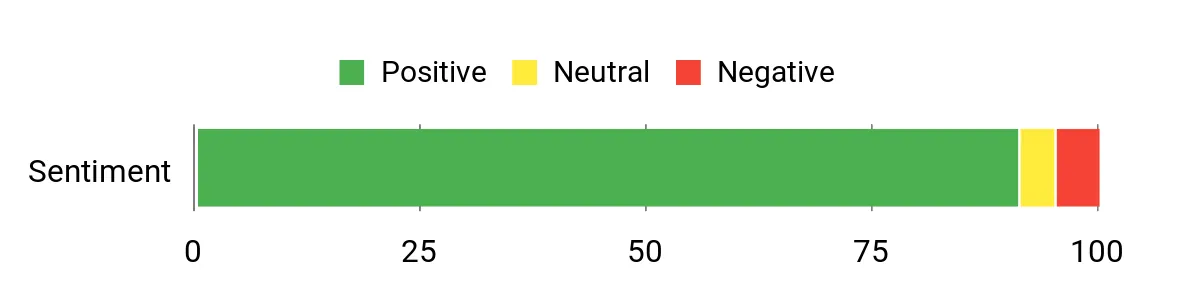
Customers commonly praise the Solo’s sound quality and the Air preamp setting for making vocals pop. People also like how straightforward it is to set up, the low-latency performance for recording, and the solid build.
Many users appreciate the bundled software as a helpful way to start recording right away.
Overall Sentiment: Positive
| Feature | Ease Level |
|---|---|
| Initial Setup | Easy |
| Driver & Software Installation | Moderate |
| On-device Controls | Easy |
| Routing & Advanced I/O | Moderate |
Great for singer-songwriters, solo producers, podcasters and live streamers — it handles vocals and guitar cleanly, works as a travel rig, and pairs with most DAWs for both quick demos and proper takes.
| Platform | Compatibility Level |
|---|---|
| Mac OS | Excellent |
| Windows | Excellent |
| iOS | Good |
| Popular DAWs | Universal |
Helps eliminate hiss and clipping from basic setups, reduces latency for tighter takes, and gives a clear, consistent front end for singing and instrument tracking so your mixes start from a better-sounding source.
If you want a compact interface that actually improves your home recordings, this is a solid step up. You get a clean, low-noise mic pre with a switchable Air mode that lifts vocals and guitars, studio-grade converters with a huge dynamic range, and a headphone output that’s louder and clearer than most laptop jacks.
It’s bus-powered over USB-C so you can plug it into a laptop, tablet or mobile rig for quick demos, streaming sessions, or on-the-road tracking. Focusrite bundles useful DAWs and plugins, so you’ll be able to start recording and shaping your sound without hunting for extra software — a friendly fit for daily practice, demoing songs, podcasting, or a portable setup for special sessions.
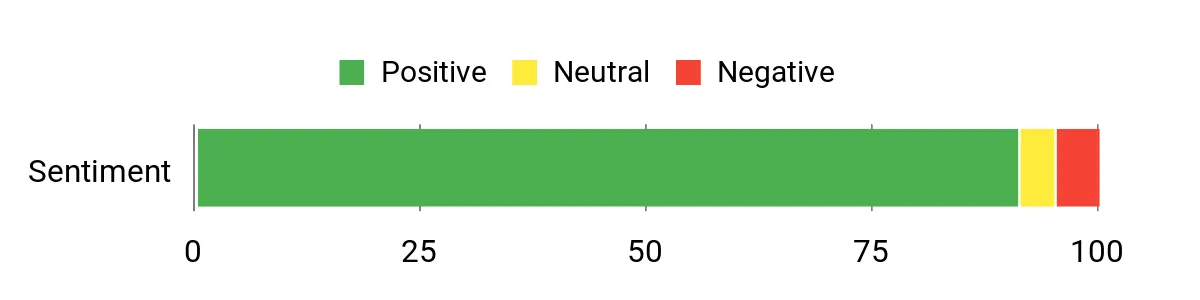
People tend to highlight how much cleaner their recordings sound compared with basic USB mics or laptop inputs, and the Air mode pops up a lot as an easy way to make vocals feel more present. Many users appreciate the plug-and-play nature and the software bundle that helps you get started.
A few mention occasional driver or cable hiccups, but most find it reliable and well built for its size.
Overall Sentiment: Positive
| Feature | Ease Level |
|---|---|
| Initial Setup | Easy |
| Driver & Software Installation | Moderate |
| On-device Controls | Easy |
| Mobile/Tabletop Use | Easy |
| Advanced Routing | Moderate |
Great for singer-songwriters, podcasters, streamers and solo producers — it handles vocals and instrument tracking well, doubles as a travel rig for on-location demos, and pairs with popular DAWs for both quick takes and fuller sessions.
| Platform | Compatibility Level |
|---|---|
| Mac OS | Excellent |
| Windows | Excellent |
| iOS/Tablet | Good |
| Popular DAWs | Universal |
Helps get rid of hiss and weak laptop inputs, reduces latency for tighter takes, and gives you a consistent, studio-quality front end so your mixes start from a better-sounding source whether you’re practicing at home or recording a quick session away from the studio.
If you want a reliable two-channel interface that feels at home in both a bedroom studio and a proper tracking session, this is a great fit. You get clean, low-noise preamps, studio-grade converters and the useful Air mode that gives vocals and guitars a bit more presence.
Auto Gain and Clip Safe speed up setup so you spend less time fiddling and more time recording, and the amped headphone output makes monitoring clearer. It’s bus-powered and portable enough for quick demos, streaming, practice sessions or those one-off studio days when you need a compact, capable front end.
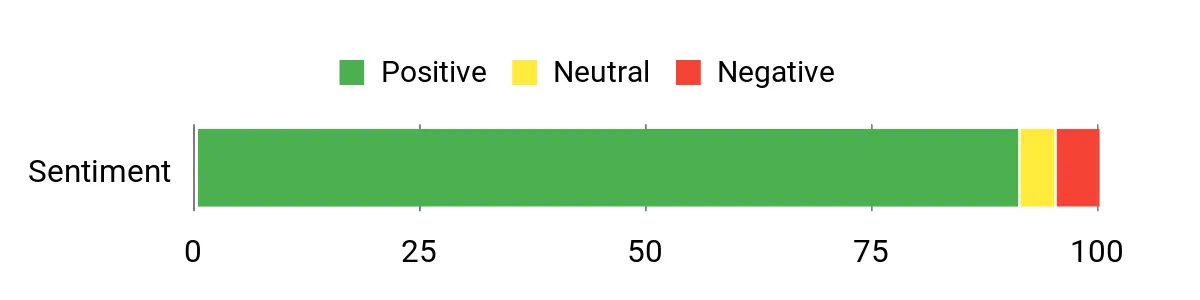
You’ll notice customers repeatedly praising the clean sound and low latency, and many mention Auto Gain and Clip Safe as useful time-savers when tracking. People also like the hardware build and the bundled software that helps get sessions started quickly; a few note occasional driver or cable quirks but most find it dependable.
Overall Sentiment: Positive
| Feature | Ease Level |
|---|---|
| Initial Setup | Easy |
| Auto Gain & Clip Safe | Very Easy |
| On-device Controls | Easy |
| Mobile/Portable Use | Easy |
| Advanced Routing | Moderate |
You can record singer-songwriter demos, duet vocals, guitar DI and direct input instruments, podcast two-mic setups, or use it as a clean input for streaming. It’s roomy enough for small sessions but compact and portable when you need to track on the move.
| Platform | Compatibility Level |
|---|---|
| Mac OS | Excellent |
| Windows | Excellent |
| iOS/Tablet | Good |
| Popular DAWs | Universal |
Helps you get rid of noisy laptop inputs and annoying latency, makes level-setting nearly foolproof with Auto Gain and Clip Safe, and gives your mixes a better starting point thanks to cleaner preamps and converters.
If you want studio-grade tone without hauling a console, this is a lovely little workhorse. You get clean, detailed preamps, a warm-sounding Legacy 4K option that brings presence to vocals and guitars, and a robust monitoring section that makes mixing and tracking easier.
It’s compact enough to travel with but solidly built, so whether you’re sketching song ideas at home, recording a vocal take in a treated closet, or streaming a live session, it gives you a reliably good sound. The stereo loopback and MIDI I/O also mean it’s useful for podcasts, streaming setups, and small hybrid rigs — a practical pick when you want professional-sounding results without fuss.
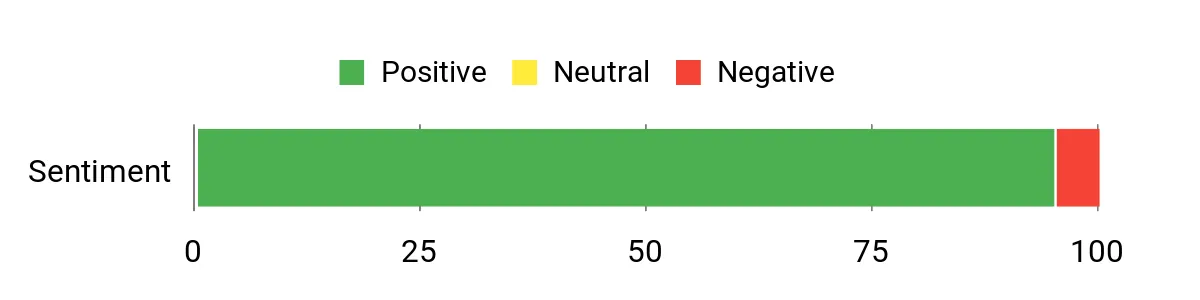
Customers consistently highlight the sound quality and build — they often say the interface brings a noticeable upgrade over basic units. People like the Legacy 4K option for giving vocals more presence, praise the headphone output and monitoring features, and appreciate how quickly it integrates with Macs and Windows systems.
A few users point out differences around advanced converter expectations, but the general consensus is that it sounds and feels like a step up.
Overall Sentiment: Positive
| Feature | Ease Level |
|---|---|
| Initial Setup | Easy |
| On-device Controls | Easy |
| Monitoring & Headphone Out | Very Easy |
| Loopback & Streaming | Easy |
| Advanced Routing | Moderate |
You can use it for singer-songwriter demos, full two-mic vocal takes, DI instrument tracking, podcasting, live streaming with loopback, and small project-studio mixing. It’s portable for on-the-road sessions but capable enough to sit on your desktop for regular production days.
| Platform | Compatibility Level |
|---|---|
| Mac OS | Excellent |
| Windows | Excellent |
| iOS/Tablet | Good |
| Popular DAWs | Universal |
Clears up noisy laptop inputs and rumble with a useful high-pass option, improves clarity with cleaner preamps and converters, and removes monitoring guesswork thanks to a powerful headphone amp and zero-latency monitoring. Stereo loopback simplifies streaming and podcasting workflows.
If you want that warm, record-shelf tone without carrying a rack of gear, Volt 2 is a very approachable way to get there. It gives you a compact 2-in/2-out setup, a vintage-style preamp mode inspired by UA’s 610 circuitry, and high-resolution converters so your vocals and instruments come through with real detail. You can use it every day for writing sessions and quick demos, bring it on a weekend session with friends, or plug into a laptop for a livestreamed mini-concert — the bundled LUNA DAW and UAD plug‑ins mean you’re not starting from zero.
It’s especially handy when you want a touch of vintage color without losing the clarity you need for mixing.
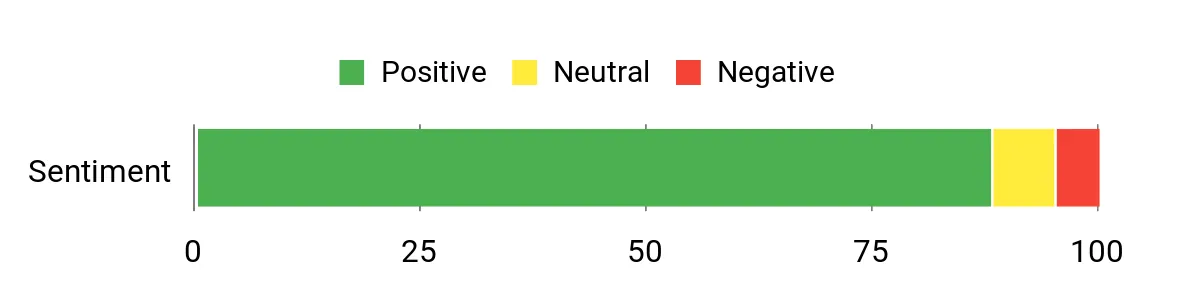
People tend to praise the sound quality and the vintage tone option — many note it delivers a noticeable uplift over basic interfaces. Buyers also like how compact and well-built it feels and appreciate the software bundle that comes with it.
A few users flag quirks around input sensitivity and the direct-monitoring balance, but overall the recurring theme is solid audio and easy portability.
Overall Sentiment: Positive
| Feature | Ease Level |
|---|---|
| Initial Setup | Easy |
| On-device Controls | Very Easy |
| Vintage Mode | Easy |
| Direct Monitoring | Moderate |
| Software Bundle Activation | Moderate |
Use it for singer-songwriter demos, vocal and instrument tracking, podcasting, and streaming. Its small footprint makes it perfect for portable sessions and quick location work, while the included plug‑ins and DAW let you sketch productions or finish mixes when you need to.
| Platform | Compatibility Level |
|---|---|
| Mac OS | Excellent |
| Windows | Excellent |
| iPad / iPhone | Good |
| Popular DAWs | Universal |
Clears up noisy laptop inputs with better preamps and converters, adds pleasing analog character when you want a warmer vocal or guitar sound, and removes the need for extra outboard gear thanks to the bundled plug‑ins. It also makes portable recording simple by being bus-powered and compact.
If you want a no-nonsense way to step up your recordings, this Solo is built for you. It gives you a single mic pre and a Hi‑Z instrument input that make vocals and guitar sound much more polished than a laptop or basic USB mic.
The USB‑C connection and separate headphone volume control keep everyday tracking simple, while Air mode adds a console-like presence when you want vocals or leads to stand out. Use it for quick demo sessions, podcasting, remote collaborations on Zoom, or small home-studio projects — it’s especially handy when you want clean, professional-sounding takes without juggling a bunch of gear.
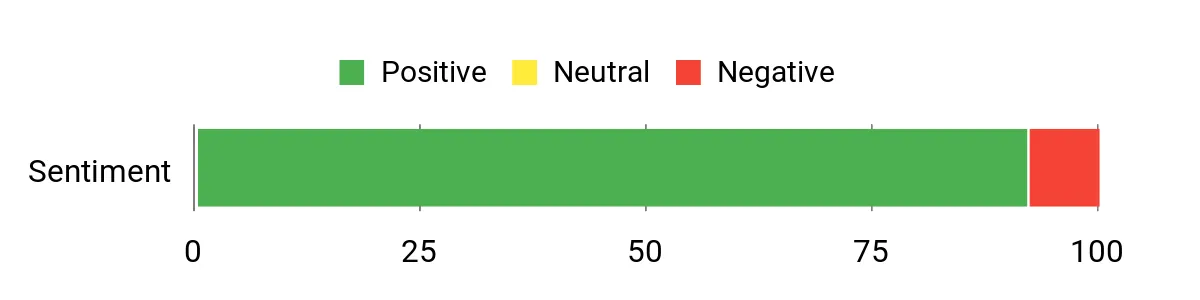
People frequently praise the Solo for delivering clearer, quieter recordings than a laptop input or basic USB mic — many call out the mic pre, Hi‑Z input and Air mode as real improvements for vocals and guitar. Users also like the USB‑C hookup and the handy headphone volume knob that makes monitoring less fiddly.
A smaller group mentions driver quirks, occasional noise or sensitivity in the gain controls, so it’s worth checking compatibility with your setup.
Overall Sentiment: Positive
| Feature | Ease Level |
|---|---|
| Initial Setup | Easy |
| On-device Controls | Very Easy |
| Headphone Volume | Very Easy |
| USB‑C Connection | Easy |
| Driver/Software Activation | Moderate |
Great for solo musicians laying down demos, podcasters who need clean voice capture, streamers wanting better mic sound, and anyone doing quick remote sessions. It’s compact enough for travel or desktop use and capable enough to handle everyday tracking without extra outboard gear.
| Platform | Compatibility Level |
|---|---|
| Mac OS | Excellent |
| Windows | Excellent |
| iPad / iPhone | Good |
| Popular DAWs | Universal |
| USB‑C Devices | Excellent |
It replaces noisy laptop jacks and cheap preamps with cleaner mic pres and converters, gives you a proper Hi‑Z guitar input, and lets you shape presence with Air mode so vocals cut through. It simplifies monitoring with a dedicated headphone control, but it’s designed around a single mic + instrument workflow rather than multi-channel expansion.
If you want a single box that gets you from setup to broadcast without juggling adapters, this is worth a look. You get two XLR combo inputs with clean preamps, a handy set of eight sound pads you can load with stings or effects, and loopback/USB‑C for streaming directly from a computer.
It’s battery powered and light enough to bring to an interview, but also comfortable on your desk for daily episodes, live streams, or quick field recordings. You’ll find on-device controls that make mixing on the fly intuitive, and built-in voice effects and reverb to add character when you want it.
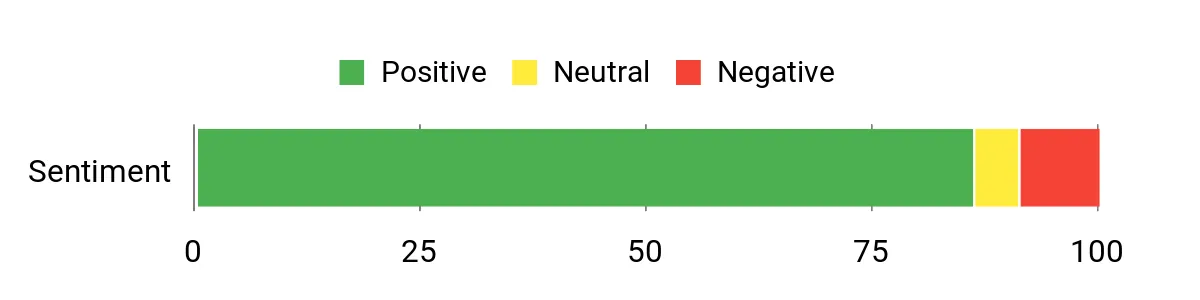
You’ll notice customers often praise the clean mic pres and dual XLR inputs for collaborative recordings, along with the convenience of the sound pads and loopback for live streaming. Many highlight the portable battery and Bluetooth/AUX options as big pluses, while a few mention a learning curve for uploading sounds and occasional connectivity or headphone quirks.
Overall Sentiment: Positive
| Feature | Ease Level |
|---|---|
| Initial Setup | Easy |
| Programming Sound Pads | Moderate |
| On-device Mixing Controls | Very Easy |
| Battery / Portable Use | Easy |
| Loopback Streaming | Easy |
Great for podcasters, streamers and mobile recordists — it handles two-mic setups, background music via Bluetooth/AUX, and direct USB streaming. Use it for daily episodes, live streams, field interviews or small live events where you need a compact mixer with on-board effects.
| Platform | Compatibility Level |
|---|---|
| Windows | Excellent |
| macOS | Excellent |
| Smartphones / Tablets | Good |
| Streaming Apps (OBS/Zoom/Twitch) | Universal |
| Bluetooth Devices | Good |
It replaces the need for separate preamps, a dedicated soundboard and a power-hungry rig when you want a compact setup. The E2 Gen2 makes live streaming simpler with loopback and direct USB‑C output, gives you on-board effects and pads to add personality, and the battery makes remote recording practical.
Keep in mind you may spend a bit of time learning pad uploads and routing if you want advanced setups.
If you want an all-in-one little workhorse for home recordings, small gigs or streaming sessions, this mixer is worth a look. You get six channels with XLR/1/4" combo jacks, +48V phantom power for condenser mics, and a USB/MP3 input so you can record to a computer or play a backing track from a flash drive. The built-in Bluetooth makes it easy to drop in break music or a reference track without hunting for cables, and the 16-bit DSP effects let you add reverb and delay right on the board.
It’s built like a compact road-friendly unit, so whether you’re practicing in your apartment, hosting a podcast, running a small wedding setup, or adding a reliable travel mixer to your kit, this one does a surprising amount without extra boxes.
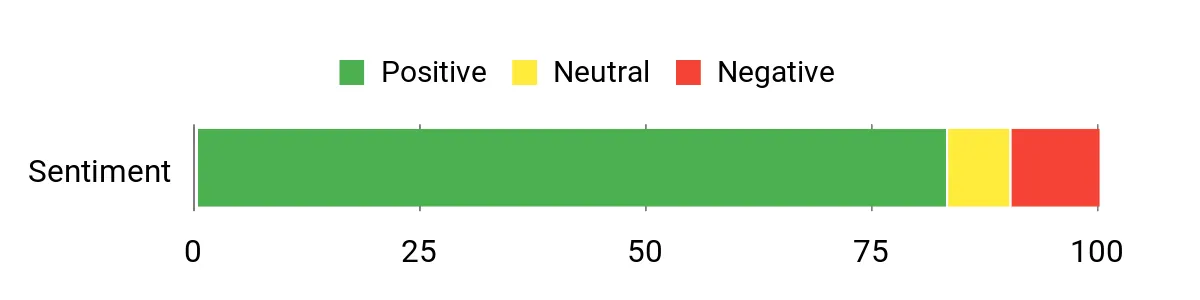
Most buyers appreciate the convenience features — Bluetooth and USB/MP3 playback come up a lot — and many note the low-noise performance and solid build. People also like that it records to a computer easily and handles live small-venue work. On the downside, some users expect higher-end studio sound or true stereo effects and mention occasional setup quirks or hum issues on a few units.
Overall Sentiment: Positive
| Feature | Ease Level |
|---|---|
| Initial Setup | Moderate |
| Bluetooth Pairing | Very Easy |
| USB / MP3 Playback Controls | Easy |
| Onboard FX Controls | Moderate |
| Transporting / Gig Setup | Easy |
This mixer is flexible: use it for podcasting, small live shows, DJ breaks, karaoke, or as a compact home-studio front end. It handles mic and line inputs, Bluetooth sources and direct computer recording, so it’s handy for daily practice and occasional events alike.
| Platform | Compatibility Level |
|---|---|
| Windows | Excellent |
| macOS | Excellent |
| Smartphones / Tablets | Good |
| USB Storage Devices | Excellent |
| Bluetooth Devices | Good |
It saves you from juggling a separate Bluetooth adapter, MP3 player and extra preamp — you can stream, play files and record to a computer from one box. The onboard effects and phantom power mean you don’t need a lot of additional gear for basic tracking or small events. If you need pristine studio converters or stereo effects routing, this won’t replace a high-end interface, but it solves a lot of everyday recording and live-mixing headaches.
If you want studio-style recordings without hauling a rack of gear, Volt 1 is a neat little companion. You get a single high-quality mic preamp (with a Vintage 610 emulation), clean converters, direct low-latency monitoring and a headphone output that actually lets you hear details. Universal Audio bundles LUNA and a generous set of UAD plug-ins, so you can start tracking vocals, guitar or voiceover work right away. It’s small enough to toss in a bag for mobile recording, solid enough to live on your desk, and approachable if you’re moving up from an entry-level interface.
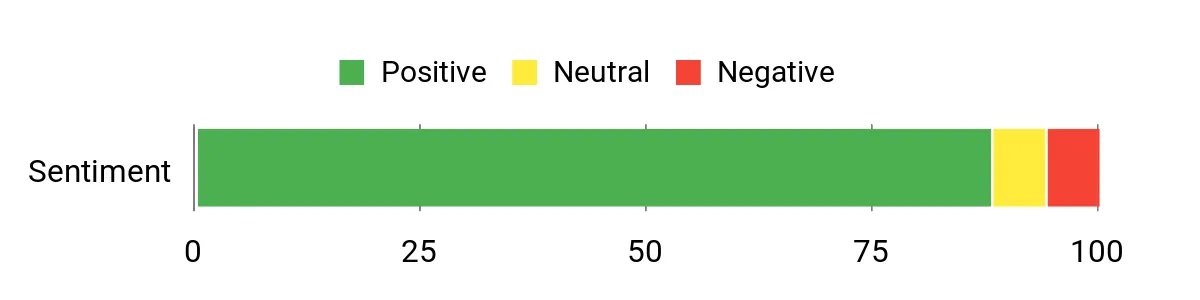
People commonly praise the sound quality and the vintage preamp character — many note that vocals and guitars gain warmth and presence. Folks also like the compact build and the bundled software, saying it makes starting a project easier. A few mention minor setup quirks like driver or cabling choices, but overall users find it easy to get great-sounding recordings quickly.
Overall Sentiment: Positive
| Feature | Ease Level |
|---|---|
| Initial Setup | Easy |
| Vintage Preamp Mode | Very Easy |
| Direct / Zero-Latency Monitoring | Very Easy |
| Installing UA Software Bundle | Moderate |
| Traveling / Mobile Use | Very Easy |
Volt 1 works for singer-songwriters, podcasters, voice actors and anyone who needs a portable one-mic solution. Use it for daily demos, streaming practice sessions, mobile tracking or quick vocal comps for special projects. It’s not meant to replace a multichannel studio front end, but it’s an excellent single-mic workhorse for both everyday creativity and on-the-road sessions.
| Platform | Compatibility Level |
|---|---|
| Windows | Excellent |
| macOS | Excellent |
| iPad / iPhone | Good |
| Common DAWs (LUNA, Ableton, Pro Tools) | Good |
| USB-C / Hardware | Excellent |
It gives you pro-sounding preamps and converters in a tiny, grab-and-go package, so you don’t need a big console to capture warm vocals or clean instrument takes. The included software bundle helps you move from idea to mix without hunting for plugins, and direct monitoring removes latency headaches during tracking.
If you want more hands-on control for streaming, podcasting or quick home recordings, the SC3 is a friendly little tool you’ll actually use. You get a proper XLR input and 48V phantom power so you can plug in a condenser mic, tactile sliders to balance mic, line and headphone levels, and front-facing mute/monitor controls that make live sessions less stressful.
It packs voice effects, auto-tune and customizable pads if you like playful sound tweaks, plus RGB lighting to match your setup. Use it for everyday streaming, Zoom calls, quick vocal demos or as a simple podcast front end when you need a compact, plug-and-play solution you can toss on your desk.
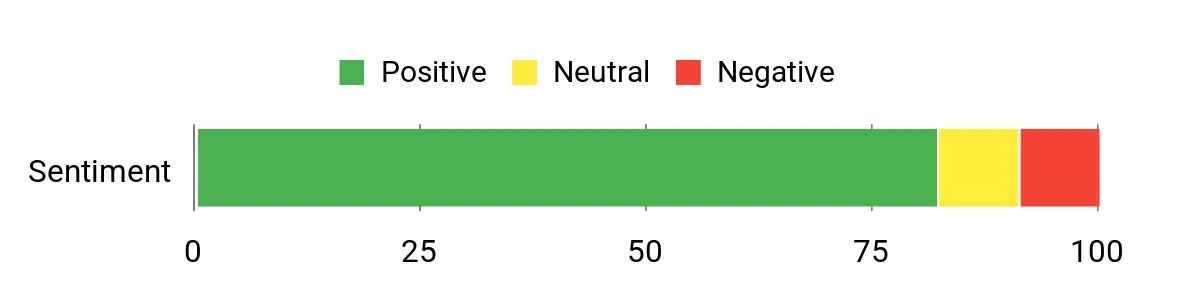
Most users appreciate how the SC3 upgrades basic streaming setups — people commonly mention clearer mic sound when using XLR mics with phantom power and like the hands-on sliders and mute button for live control. Reviewers also enjoy the creative extras like voice effects and programmable pads, while a minority point out limits for high-end audio work or occasional playback quirks.
Overall Sentiment: Positive
| Feature | Ease Level |
|---|---|
| Initial Setup | Easy |
| Channel Faders & Mute | Very Easy |
| Voice Effects / Auto‑Tune | Moderate |
| Programmable Pads | Moderate |
| Real‑time Monitoring | Easy |
This mixer works well for streamers, beginner podcasters, and content creators who want more control than a USB mic offers. Use it for daily streaming sessions, recording quick vocal ideas, or special live shows where you need instant mute or sound effects.
It’s not a full studio console, but it’s flexible enough for most casual and semi‑pro scenarios.
| Platform | Compatibility Level |
|---|---|
| Windows | Excellent |
| macOS | Excellent |
| PlayStation / Mobile (via USB‑C) | Good |
| OBS / Streaming Software | Good |
| XLR Mics / Headsets | Good |
It solves the gap between a simple USB mic and a full interface by giving you true XLR input with phantom power, hands‑on level controls, and on‑the‑fly muting/monitoring — all of which make live streaming and quick recordings less fiddly. The built‑in effects and pads also let you add personality without running extra software.
If you want a no-fuss way to record vocals, guitar or quick ideas, the M-Track Solo makes it easy to get started. You get a transparent Crystal preamp with phantom power for condenser mics, a switchable line/instrument input for guitars or synths, and zero‑latency monitoring so you can track without annoying delay. It’s USB‑powered and small enough to slip into a laptop bag, so it’s great for daily podcasting, home demos or grabbing ideas on the road.
For the price and portability, it’s a practical pick if you need a simple, reliable interface that won’t overcomplicate your workflow.
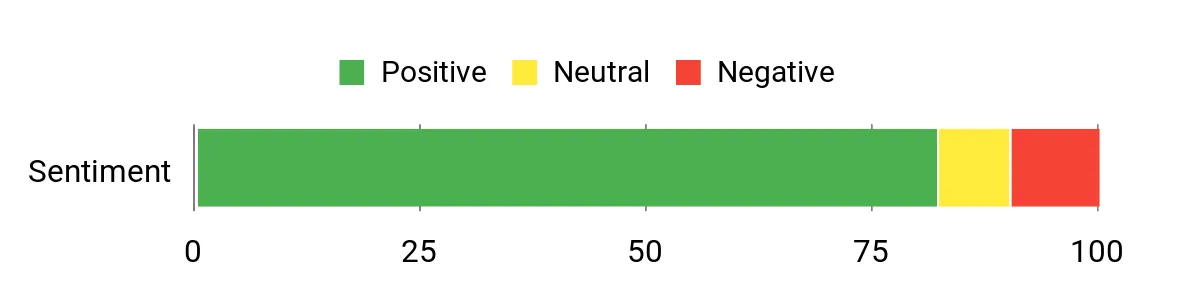
You’ll notice most people praise how much you get for such a compact unit — clear preamp sound, simple setup and the convenience of USB power come up a lot. Folks also like the bundled software and the low‑latency monitoring for tracking. A few users mention stereo line capture needs extra cables or adapters and that driver quirks can appear on some Windows setups, but the overall impression is that it’s a solid, portable workhorse for starters and travellers.
Overall Sentiment: Positive
| Feature | Ease Level |
|---|---|
| Initial Setup | Easy |
| Direct Monitoring / Headphones | Very Easy |
| Switching Line / Instrument | Easy |
| Software Bundle Activation | Moderate |
| Capturing Stereo Line Sources | Moderate |
The M-Track Solo covers a lot of ground: daily podcasting, quick home recordings, live streaming and on‑the‑road songwriting. It’s flexible enough for a single‑mic vocalist or a guitarist wanting to capture ideas, and you can also use both inputs simultaneously for simple stereo sources like keyboards or drum machines.
| Platform | Compatibility Level |
|---|---|
| Windows | Excellent |
| macOS | Excellent |
| iOS (with adapter) | Good |
| Popular DAWs (Logic, Ableton, Pro Tools, etc.) | Excellent |
| USB‑powered laptops and tablets | Excellent |
It fills the gap between a basic USB mic and a full studio interface by giving you a real mic preamp, instrument input and proper monitoring without extra power bricks. If you need something small to capture ideas, podcast from home, or record while travelling, this keeps the process simple and dependable.
If you want a compact interface that handles both music and streaming, this is a very practical option. You get an XLR preamp with 48V phantom power for condensers, a dedicated instrument input for guitar, and high‑resolution 24‑bit/192kHz capture so your takes sound detailed. The included ProStudio routing software and loopback capability make streaming and recording system audio easy, and the USB‑C connection plus small footprint mean you can use it at your desk, in a rehearsal room or with an iPad on the go. If you need something that feels simple to use but still gives you flexible routing and decent preamps, this is worth trying.
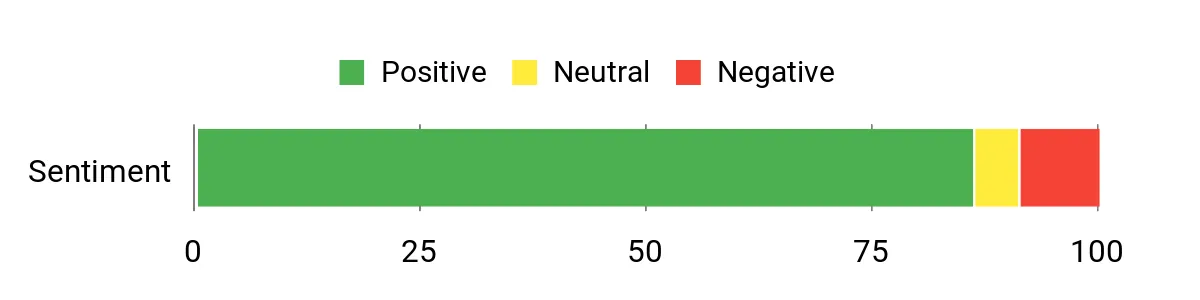
People commonly highlight how easy it is to set up and use right away — plug‑and‑play functionality, clear preamps and that useful LED ring that shows input status come up a lot. Streamers and podcasters especially like the loopback/routing features and the bundled ASIO driver for low latency. A number of users also mention occasional driver quirks or interference in certain setups, so a little troubleshooting can be needed on some systems.
Overall Sentiment: Positive
| Feature | Ease Level |
|---|---|
| Initial Setup | Very Easy |
| Loopback / Routing Software | Easy |
| Direct Monitoring | Very Easy |
| Driver Installation (ASIO) | Moderate |
| Switching Inputs (XLR / Instrument) | Easy |
This box works for quick home demos, podcast episodes, live streams and guitar tracking — you can also plug it into phones or tablets for portable sessions. Use it for daily practice, capturing ideas, or when you need a simple streaming setup with mix‑in system audio.
| Platform | Compatibility Level |
|---|---|
| Windows | Excellent |
| macOS | Excellent |
| iOS / iPadOS (with adapter) | Good |
| Android / ChromeOS | Good |
| Popular DAWs (Ableton, Pro Tools, Logic, etc.) | Excellent |
It closes the gap between a basic USB mic and a full desktop interface by giving you real mic preamps, phantom power, an instrument input and loopback routing without a big footprint. If you need quick, low‑latency recording and simple streaming mix options on a compact unit, this solves that need.
You get a small, all‑in‑one mixer that feels made for streamers and casual podcasters — it brings a proper XLR preamp with 48V phantom power, Bluetooth input and handy loopback for mixing system audio. The RGB lighting and built‑in voice changer/sound pads add personality to live streams, while one‑click noise reduction and direct monitoring keep your voice clean during sessions. It’s compact enough to sit on a desk next to your controller or mic stand and flexible enough for phone, tablet or computer setups.
If you want a single device that makes streaming and light recording simpler and a bit more fun, this is a very practical pick.
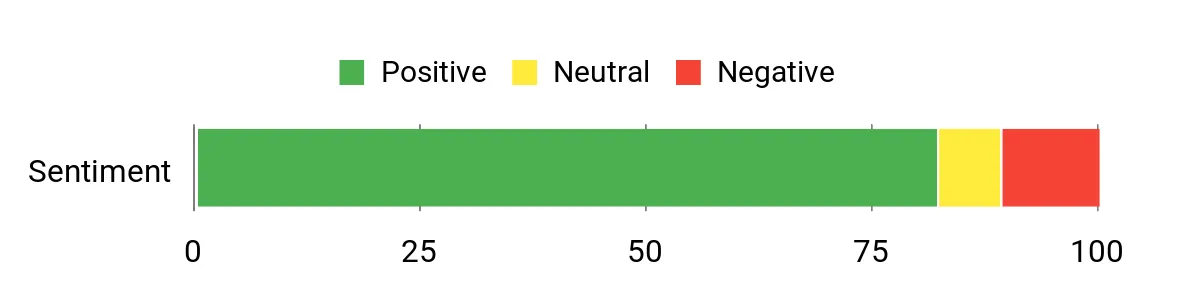
Customers often call this a surprisingly capable little mixer — people appreciate the solid build, clear preamp and the noise‑reduction feature that cleans up background hum. Streamers like the voice changer, custom pads and RGB as fun extras, and reviewers frequently mention that Bluetooth and loopback make multi‑device streaming straightforward. A few users note minor quirks like flickering status lights, fader behavior at very low levels or occasional driver hiccups, but those don’t seem to overshadow the overall usefulness.
Overall Sentiment: Positive
| Feature | Ease Level |
|---|---|
| Initial Setup | Very Easy |
| Bluetooth Pairing | Easy |
| Sound Pads / Voice Changer | Easy |
| Direct Monitoring | Very Easy |
| Driver Troubleshooting | Moderate |
This unit handles everyday streaming, podcast episodes, short music tracking and mobile setups via phone or tablet. Use it for daily practice, live games with friends, recorded voiceovers, or when you want quick access to sound effects and neat vocal textures during a show.
| Platform | Compatibility Level |
|---|---|
| Windows | Excellent |
| macOS | Excellent |
| iOS / Android (with adapter) | Good |
| PS4 / PS5 | Good |
| Streaming Software (OBS, Discord, Twitch, etc.) | Excellent |
It fills the gap between a simple USB mic and a full desktop rig by giving you real mic preamps, phantom power, loopback and on‑board effects in one compact box. If your setup needs cleaner voice, easy multi‑device mixing or quick sound effects without juggling multiple pieces of gear, this makes those tasks much simpler.
You get a tiny, focused interface that makes podcasting feel less fiddly. Plug in an XLR mic, hit Auto Gain to find a good level, and use Enhance presets to tidy your tone without opening an editor.
It also handles phone input, camera feed outs and stereo loopback, so you can bring callers, system audio or a camera into your workflow with minimal hassle. For everyday episodes, remote interviews or quick video shoots where you want consistent voice quality, it’s a very practical choice you can set up and forget about.
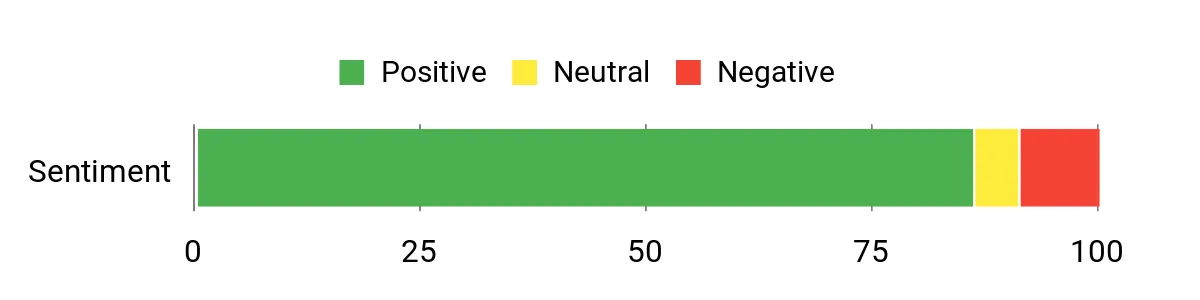
Customers commonly praise the Vocaster One for how easy it is to get a professional sound quickly — people highlight the Auto Gain, Enhance presets and overall clarity from the mic input. Users like the phone and camera connectivity and the loopback feature for straightforward remote interviews or video work. A handful of buyers mention cable quality or rare hardware hiccups, but most say the simple controls and solid audio are the real wins.
Overall Sentiment: Positive
| Feature | Ease Level |
|---|---|
| Initial Setup | Very Easy |
| Auto Gain | Very Easy |
| Enhance Presets | Easy |
| Phone / Camera Connectivity | Easy |
| Stereo Loopback | Easy |
Use it for daily solo podcast episodes, quick interviews, live streaming with mixed audio, or as a neat camera feed for vlogs. It’s small enough for on‑the‑road recording but capable enough to sit on a home desk for regular shows.
| Platform | Compatibility Level |
|---|---|
| Windows | Excellent |
| macOS | Excellent |
| iOS / iPadOS (with adapter) | Good |
| Android (with adapter) | Good |
| Streaming & Recording Software (OBS, Hindenburg, DAWs) | Excellent |
It removes a lot of setup friction: automatic level finding, one‑click tone shaping and built‑in phone/camera paths mean you don’t have to patch in extra gear or wrestle with routing. If your goal is clear, consistent voice recordings without spending hours on configuration, this addresses that directly.
If you want a tiny interface that actually does a lot, the M-Track Duo is one of those grab-and-go tools you'll find yourself reaching for. You can plug in a mic and a guitar at the same time, flip a switch for instrument or line level, and monitor with zero latency while you record. It’s USB‑powered so it’s great for quick home sessions, mobile songwriting, podcasting on the road, or setting up a simple streaming rig.
The bundled software gives you something to tinker with right away, so you don’t have to hunt for tools before you start tracking. For everyday tracking and casual studio work, it’s a practical, no-fuss companion you can rely on.
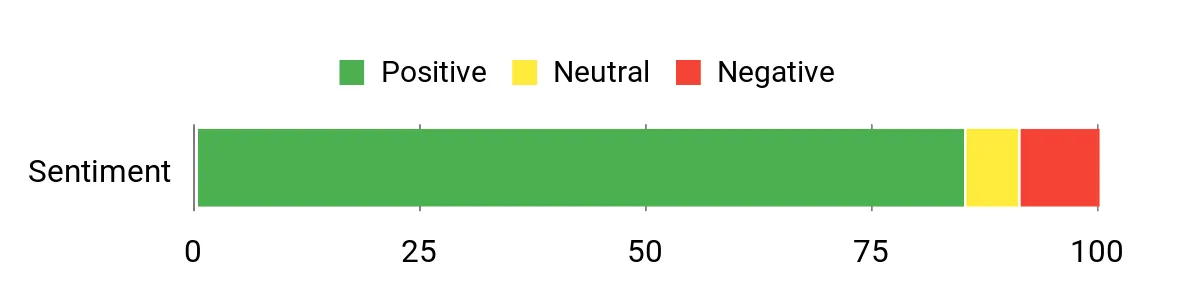
People tend to love how much this little interface does for the price: clear preamps, true portability, and the convenience of two real inputs get repeated often. Buyers also appreciate the direct monitoring and the software bundle that helps you start recording immediately. Common gripes center on gain behavior — some users find the knobs very sensitive near the top — and a few note driver quirks on older Windows systems.
Overall Sentiment: Positive
| Feature | Ease Level |
|---|---|
| Initial Setup | Easy |
| Direct Monitoring | Very Easy |
| Gain Control | Moderate |
| Switching Line/Instrument | Easy |
| Bundled Software Registration | Easy |
Use it for writing demos, recording vocal/guitar duo takes, podcast episodes, quick live streams, or mobile sessions when you’re away from the studio. It handles DI guitars, keyboards, condenser and dynamic mics, so it’s flexible enough for day-to-day tracking and occasional small live setups.
| Platform | Compatibility Level |
|---|---|
| Windows | Good |
| macOS | Excellent |
| iOS (with adapter) | Good |
| Android (with adapter) | Fair |
| DAWs & Streaming Software (Pro Tools | First, MPC Beats, Ableton, OBS) | Excellent |
It cuts the friction out of simple recording setups: two real inputs, phantom power and direct monitoring mean you don’t need extra boxes to track a singer and guitar together. Because it’s bus‑powered and compact, it solves the ‘I want to record now’ problem when you’re away from your main rig.
If you need smoother gain control for very low-output mics, you may want an inline preamp, but for most home and mobile uses it addresses the main hurdles.
You want an interface that matches how you make music now and where you plan to go next. Prioritize the number and type of inputs you need (XLR mic inputs, a Hi‑Z instrument jack for guitar), the quality of the mic pres and converters for cleaner, more detailed sound, and reliable connectivity (USB‑C is more future‑proof). Consider extras that speed you up in the studio, like direct monitoring, an independent headphone control, an easy Gain/Clip indicator, and a software bundle that gets you recording immediately.
If you record solo vocals and guitar, a compact 1‑ or 2‑input unit with strong preamps and an “air” or vintage mode will transform your tones without complicating your workflow; if you plan to add guests, synths or more mics, step up to a model with additional channels and balanced outputs for studio monitors.
Yes — most modern interfaces are class‑compliant or ship with drivers that make them plug and play, but you should check compatibility with your OS and DAW before you buy. On Windows, use the manufacturer’s ASIO driver for the lowest latency; on macOS class‑compliant operation often works without drivers.
To avoid latency, reduce your buffer size while tracking, enable the interface’s direct monitoring when you need zero‑latency monitoring, use a good quality USB‑C cable and avoid bus overload by unplugging unnecessary USB devices. Keep firmware and drivers up to date, and if you run into glitches try a different USB port, avoid USB hubs for audio, and test with ASIO4ALL or the vendor’s troubleshooting guide before changing hardware.
Start with good signal chain basics: place your mic and instrument correctly, engage 48V phantom only for condensers, and set gain so the interface’s meter or halo light sits just below clipping — proper gain staging is the single fastest way to improve recordings. Use the dedicated Hi‑Z input for guitars to preserve tone, connect studio monitors with balanced TRS cables to eliminate hum, and use the interface’s monitor and headphone outputs to build a comfortable mix for tracking. Take advantage of onboard features like an Air/vintage mode or low‑latency monitoring to add presence without heavy processing, register and install bundled DAW/plugins the manufacturer provides to speed workflow, and save your input presets so you can reproduce great sessions every time.
You want an interface that removes obstacles between your performance and a great recording. Pick the SSL 2 MKII if you prioritize studio-grade tone and monitoring, choose the Scarlett 2i2 if you need a reliable two-input workhorse, and pick Volt models when you want Universal Audio’s character and plugin ecosystem.
For podcasting and livestreaming look to MaonoCaster or Vocaster One for simple, fast setup. If budget and portability matter, M-Audio and FIFINE give you practical, solid results.
Choose the interface that matches your inputs, your workflow, and how much you plan to expand, and you’ll immediately hear the difference in clarity, tracking consistency, and less time spent fixing problems in post.
| Product | Image | Number of Channels | Compatibility |
|---|---|---|---|
| Focusrite Scarlett Solo 3rd Gen | 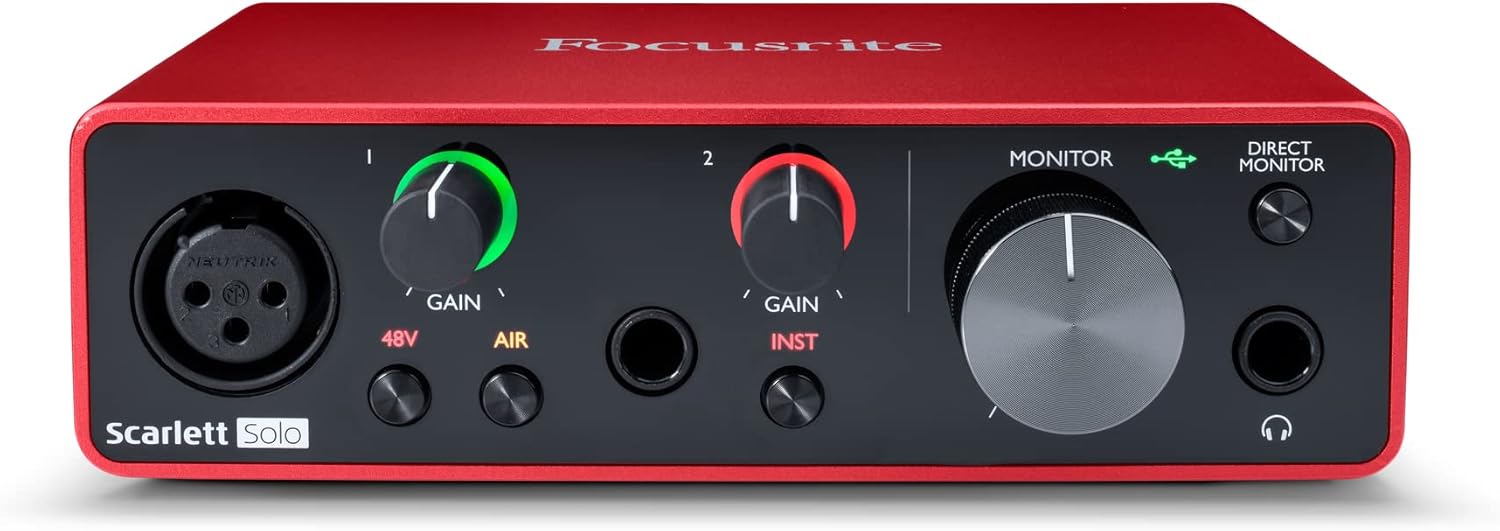 | 2 | Mac OS, Windows OS, iOS, compatible with all audio recording software |
| Focusrite Scarlett Solo 4th Gen |  | 2 | Mac OS, Windows OS, iOS, ChromeOS, compatible with all audio recording software |
| Focusrite Scarlett 2i2 4th Gen |  | 2 | Mac OS, Windows OS, iOS, compatible with all audio recording software |
| Solid State Logic SSL 2 MKII |  | 2 | Windows, macOS |
| Universal Audio Volt 2 |  | 2 | Windows, macOS |
| Focusrite Scarlett Solo 4th Gen Bundle |  | 2 | Mac OS, Windows OS, compatible with major DAWs |
| MAONO Podcast Equipment Bundle |  | 2 | PC, Smartphone, Tablet |
| Pyle 6-Channel Mixer |  | 6 | Bluetooth, USB, compatible with laptops and smartphones |
| Universal Audio Volt 1 | 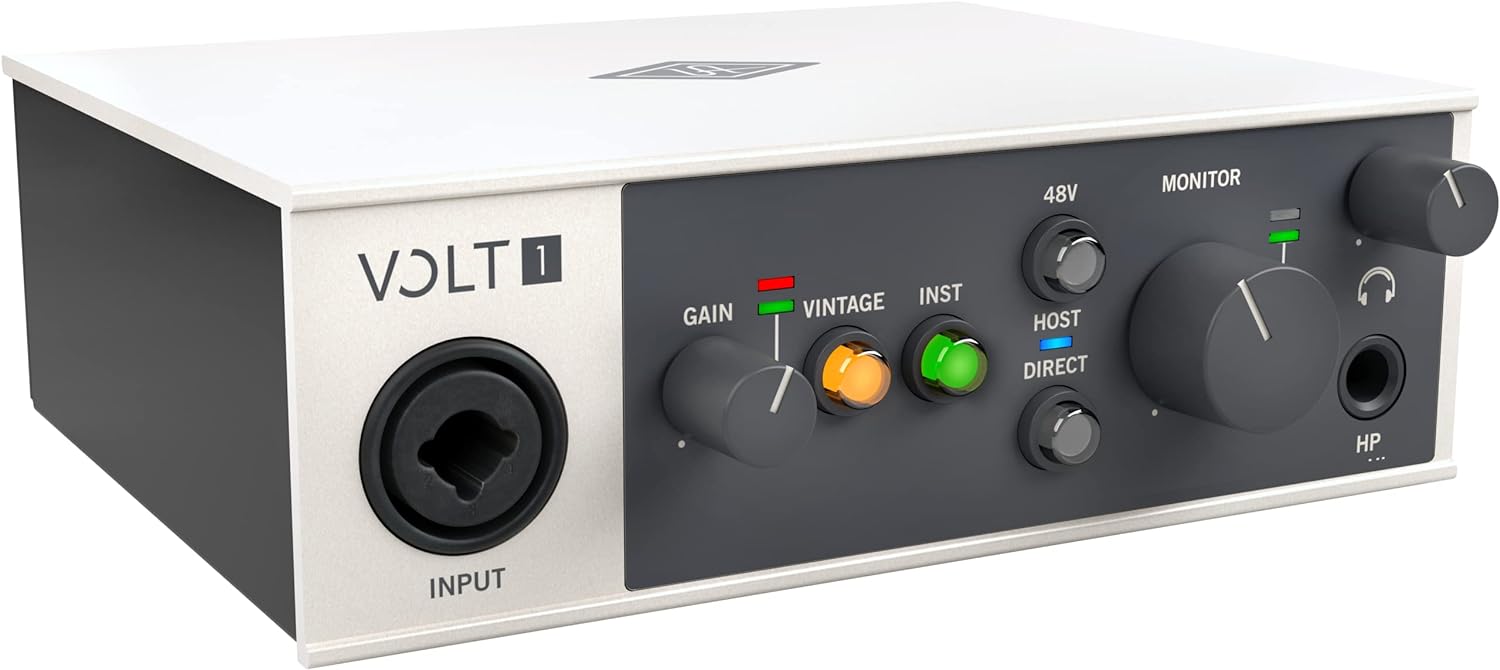 | 2 | Windows, macOS |
| FIFINE Gaming Audio Mixer |  | 4 | PC, compatible with multiple software applications |
| M-AUDIO M-Track Solo |  | 2 | Windows, macOS, iOS |
| MAONO USB Audio Interface |  | 2 | Windows, macOS, Android, Linux |
| MAONO Gaming Audio Mixer (NEO) |  | 4 | PC, compatible with various streaming applications |
| Focusrite Vocaster One |  | 1 | Mac OS, Windows OS, compatible with all audio recording software |
| M-AUDIO M-Track Duo | 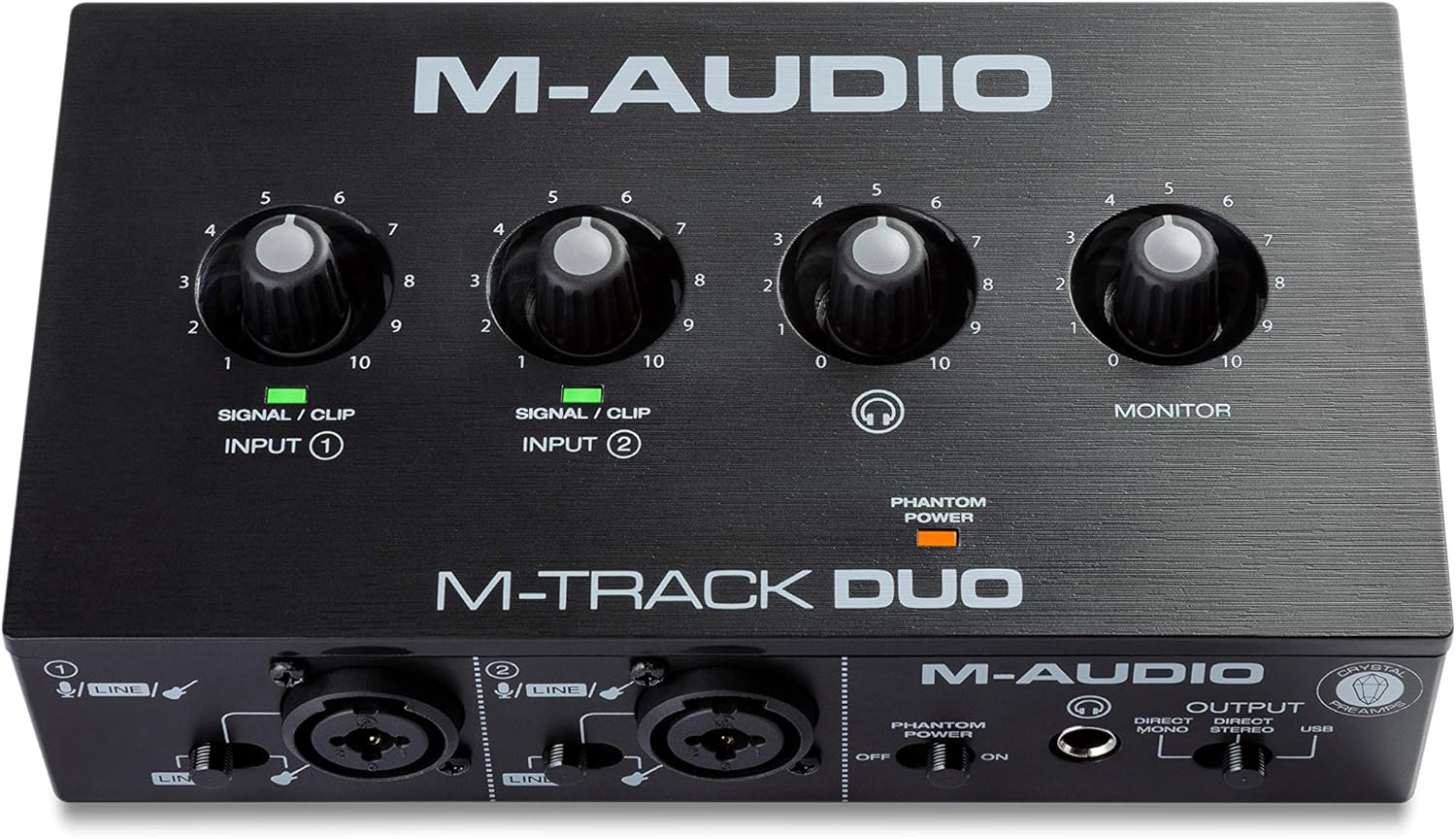 | 2 | Mac OS, Windows OS, iOS |

bestguitarequipment.com is a participant in the Amazon Services LLC Associates Program, an affiliate advertising program designed to provide a means for website owners to earn advertising fees by advertising and linking to Amazon.com, and any other website that may be affiliated with Amazon Service LLC Associates Program.